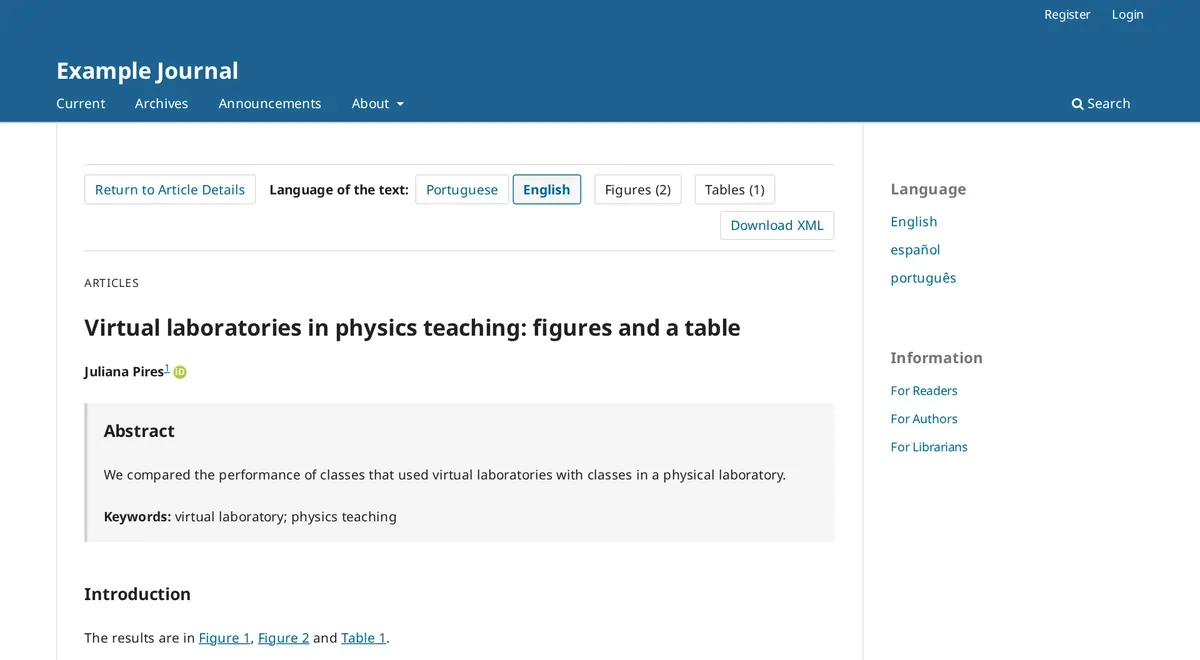
OJS ships the Lens Galley to show JATS XML, but it opens the article on a separate screen, without the journal's identity, and shows a single language. The Multilingual JATS Viewer shows the XML galley as a page of the journal itself — the theme's header, menu, sidebar, fonts and colors — and, when the XML carries the translations in the SciELO model, readers choose the language of the text.
The full text inside the journal
The text is rendered on the server, so it reaches readers and search engines ready. Above the article sits a bar with the language selector, the Figures and Tables panels and the button to download the XML. Each panel only appears when the article has items of that kind.
The plugin displays what a good JATS XML carries:
- title, authors with affiliation and ORCID, and the authors' biographies;
- abstracts, including structured ones and other languages, and keywords;
- sections, lists, quotations, notes and MathML formulas;
- tables and figures with captions, with the images taken from the galley's dependent files;
- references linked to their DOIs, history, license and the article's DOI.
Multilingual, in the SciELO model
In the SciELO model, the article's translations travel in the same XML file as the original text. Lens shows only the main language; the viewer shows them all, with a Language of the text selector. Each language has its own address, so you can share the link to the article already in English or Spanish.
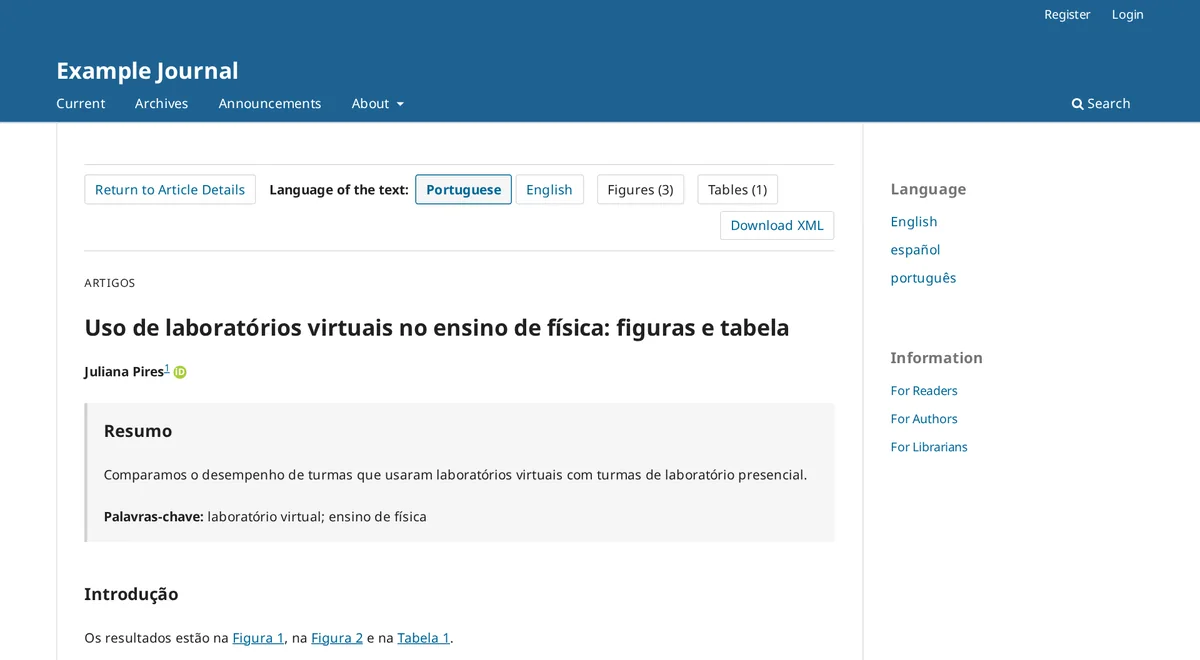
The viewer's interface is available in 38 languages and follows the language the reader picked on the journal's site, whatever the language of the text.
From desktop to phone
The article follows the journal's theme on phones too: the text fits the screen and the figures and tables panels stay at hand.

See it live
A trilingual article from Revista Jurídica da Amazônia, published with the viewer: open the live example. Switch the language of the text at the top of the article.
How to install
The plugin is for OJS 3.5 and needs PHP 8.2 or later with the dom, xsl and intl extensions.
- Download the package from the releases page of the repository on GitHub.
- In OJS, under Settings › Website › Plugins › Upload a New Plugin, upload the
.tar.gzfile. - Enable the Multilingual JATS Viewer in the list of generic plugins.
From then on, XML galleys open with the viewer. Images follow the usual OJS rule: they are uploaded as dependent files of the galley, with the name used in the XML.
Want to know why full text in XML matters to a journal? Read the article about the viewer.