
To choose a reviewer well, editors need to know who is free, who already has too many reviews and who has not answered for months. In OJS, that information shows up one person at a time, at the moment of assigning. The Reviewer Directory shows the whole pool on an internal page, visible only to the editorial team, and also produces the reviewer roster for a period or an issue.
The reviewer pool at a glance
At the top, tiles with how many reviewers are in each group: all, free now, reviewing now, with an overdue review, reviewed in the last 12 months, never reviewed for the journal and without ORCID. A click lists the group.
Below come the indicators of the group on screen: invitation acceptance, reviews delivered on time, average days from invitation to review, reviews in progress and reviews in the last 12 months.
One situation for each reviewer
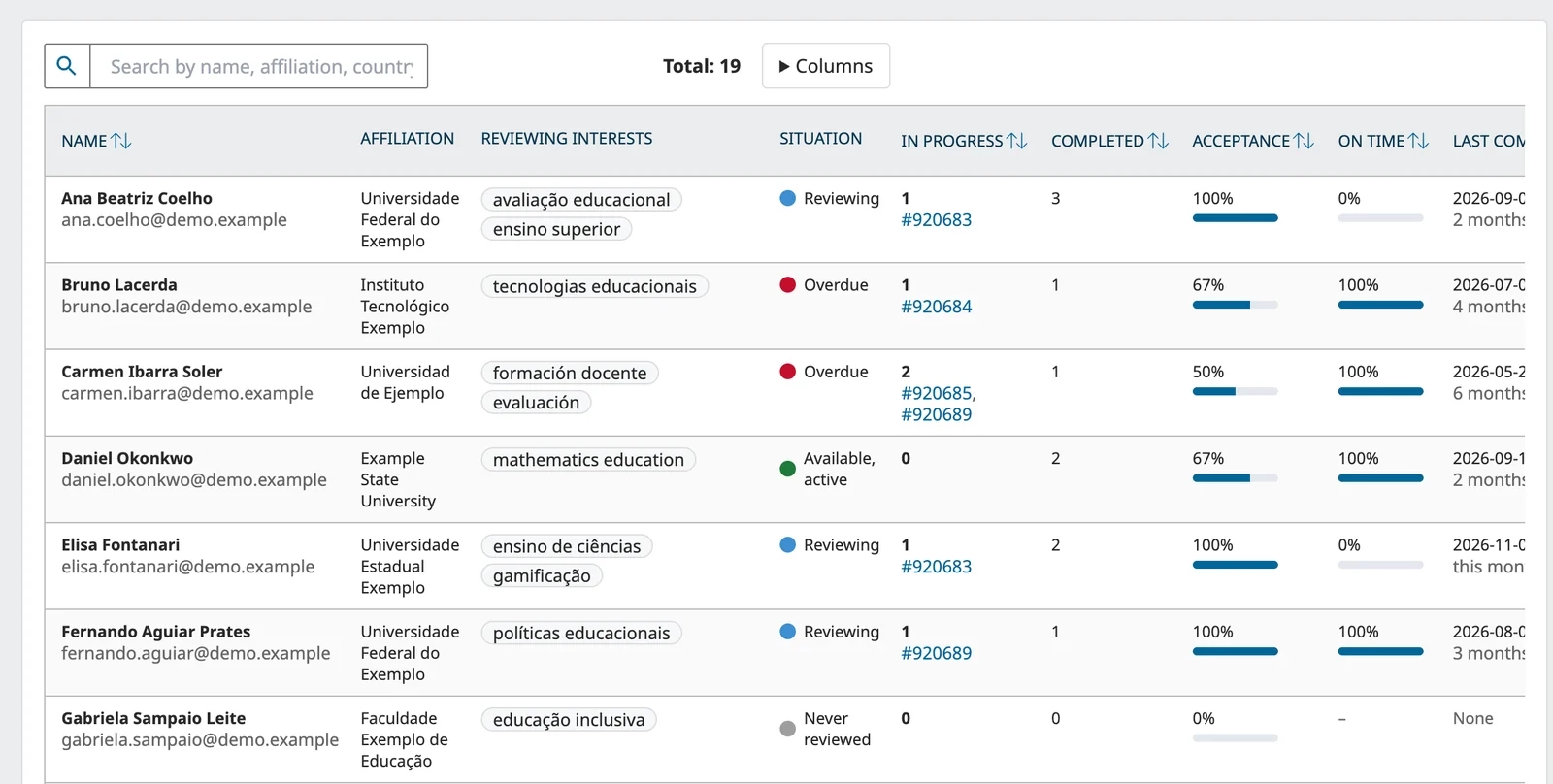
Each reviewer gets a situation: overdue, overloaded (three or more reviews in progress), reviewing, free and active, free and idle or never reviewed. A coloured bar shows how many are in each one, and they add up to the total. It is the quickest way to find who can take an invitation now.
Filters and table
You can filter by situation, country, interest, ORCID (with, without or authenticated), minimum completed reviews, months without completing a review and rating, or search by name, e-mail, affiliation or submission number. The filter lives in the page address and can be shared.
The table shows the columns each editor chooses: affiliation, country, ORCID, interests, reviews in progress with links to the submissions, overdue, completed, invitations, acceptance, timeliness, average days, last completion — highlighted after 24 months — and the same numbers OJS shows when choosing a reviewer. Personal data stays hidden until the editor asks to show it.
Export to Excel
The filtered reviewers export to CSV or to an Excel workbook (XLSX), with the journal, the date, who generated it and the filters on the first line.
The roster, ready to publish
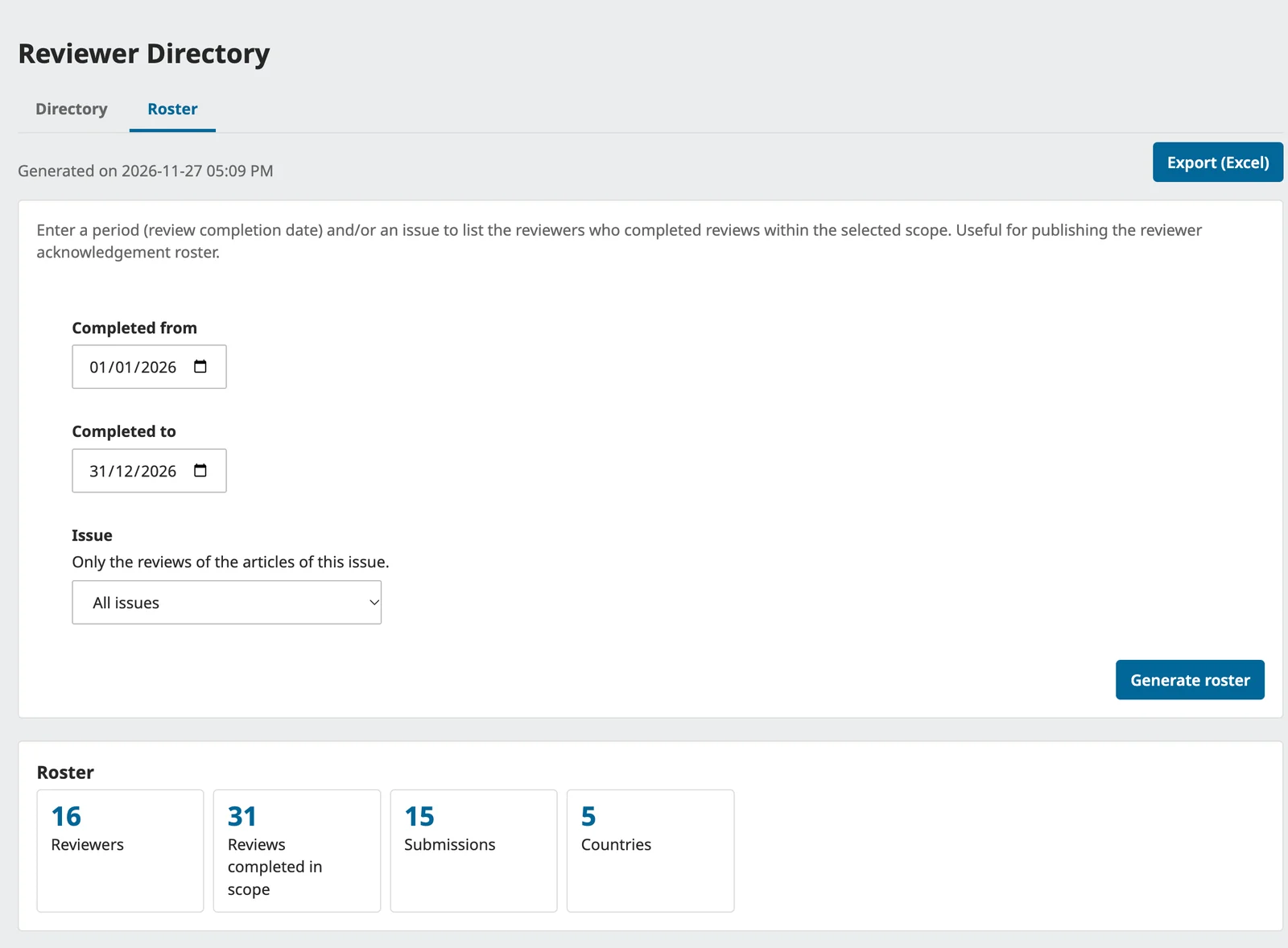
Many indexers ask journals to publish the list of people who reviewed for them, and SciELO recommends it. The directory builds this roster by the period in which reviews were completed or, on OJS, by issue: the totals of reviewers, reviews, submissions and countries, the table, the export and the list ready to publish — one reviewer per line, in alphabetical order, with affiliation and country —, copied with one click.
For OJS and OMP
The same package works on OJS 3.5 and OMP 3.5. On OMP, the press uses the directory and the roster the same way, just without the issue filter.
How to install
- Download the package from the releases page of the repository on GitHub.
- In OJS or OMP, under Settings › Website › Plugins › Upload a New Plugin, upload the
.tar.gzfile. - Enable the Reviewer Directory in the list of generic plugins.
The directory appears in the side menu for managers, section editors and administrators.