AI agents in a journal's daily routine: what changes for editors
 https://doi.org/
OJSBR's new tool registers DOIs for books, journals, proceedings and blogs, shows what is already registered under your prefix and is open for the community to try.
By Eder Sotto · OJSBR · Published on
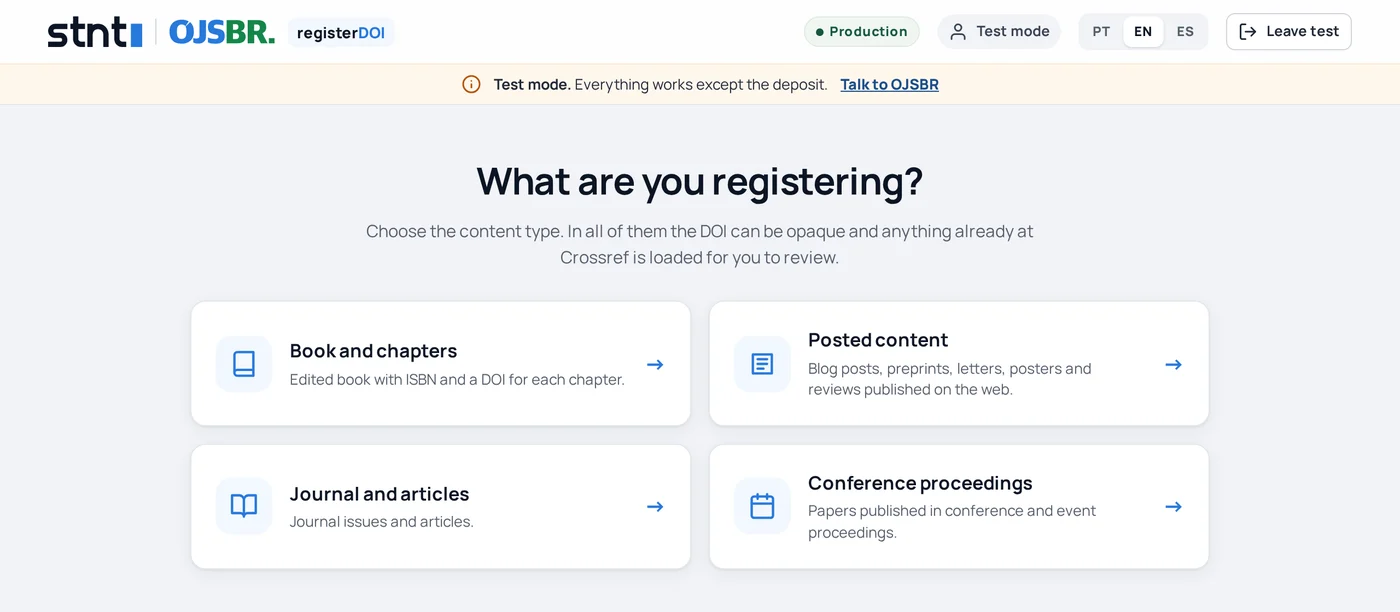
Registering a DOI with Crossref usually depends on the platform where the work is published: OJS has the Crossref plugin, and OMP has the plugin developed by OJSBR. But a lot falls outside them. A book published as a PDF on the publisher's website, the proceedings of an event that does not use OJS, a blog (even one running on WordPress), an institutional repository on DSpace with its dissertations and theses, a preprint server, an old article that never made it into the system. For these cases, OJSBR built registerDOI, a web-based DOI registration tool that spares you from writing XML by hand, and opened it for the community to try.
registerDOI is OJSBR's tool for registering, correcting and keeping track of DOIs at Crossref. It runs in the browser, with nothing to install, and does not depend on OJS, OMP or any other platform. You sign in with the same username and password you use to deposit DOIs at Crossref, choose what you are registering and fill in the details. The tool builds the XML, validates it and sends it.
There are four types of registration:
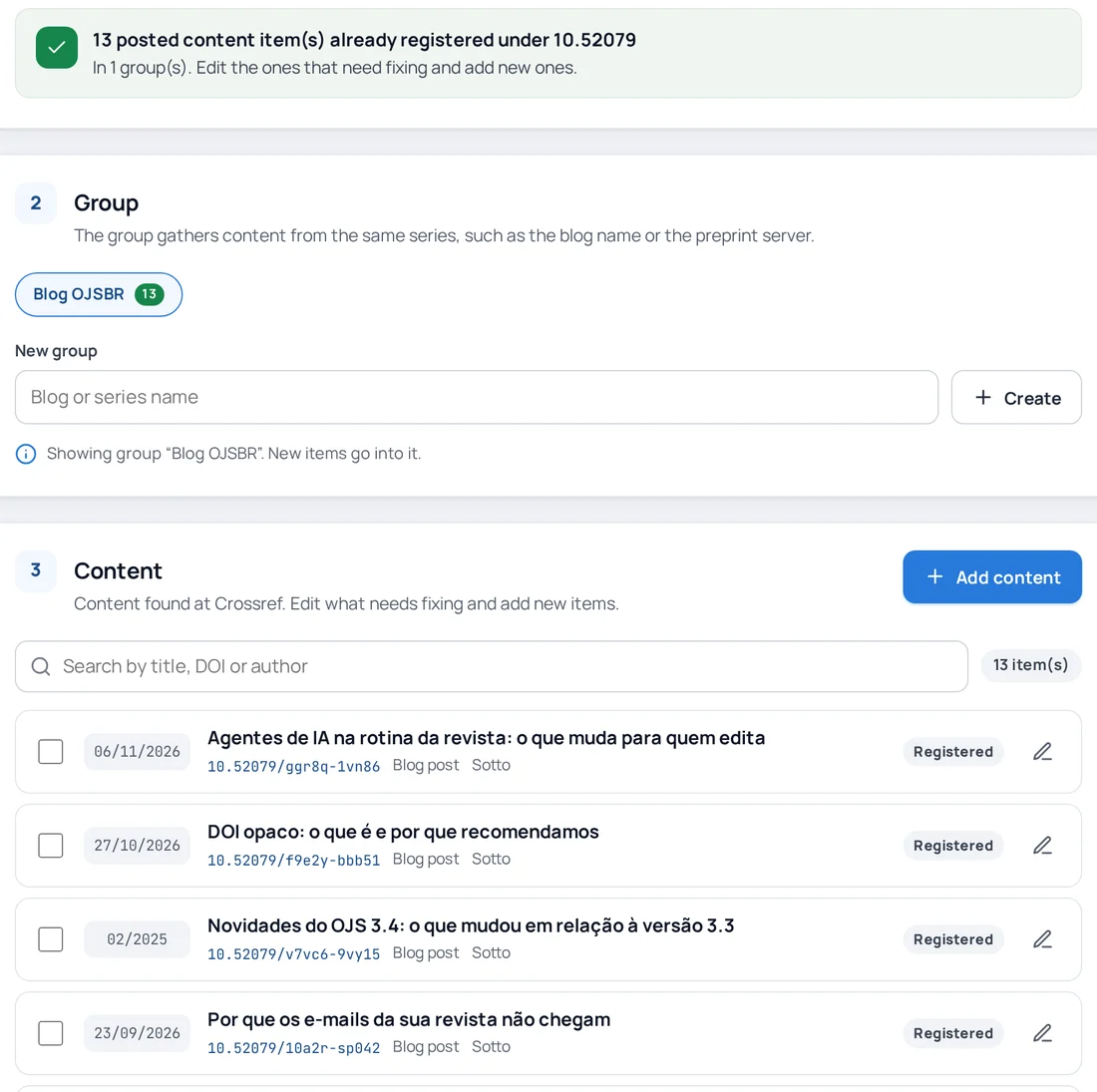
You do not start from a blank screen. When you enter the prefix, ISSN or ISBN, registerDOI looks up what is already registered at Crossref and shows it all in a list, with the title, DOI, type, date and status of each record. That is how you keep track of the identifiers under your prefix and see, in one place, what already has a DOI and what still needs one.
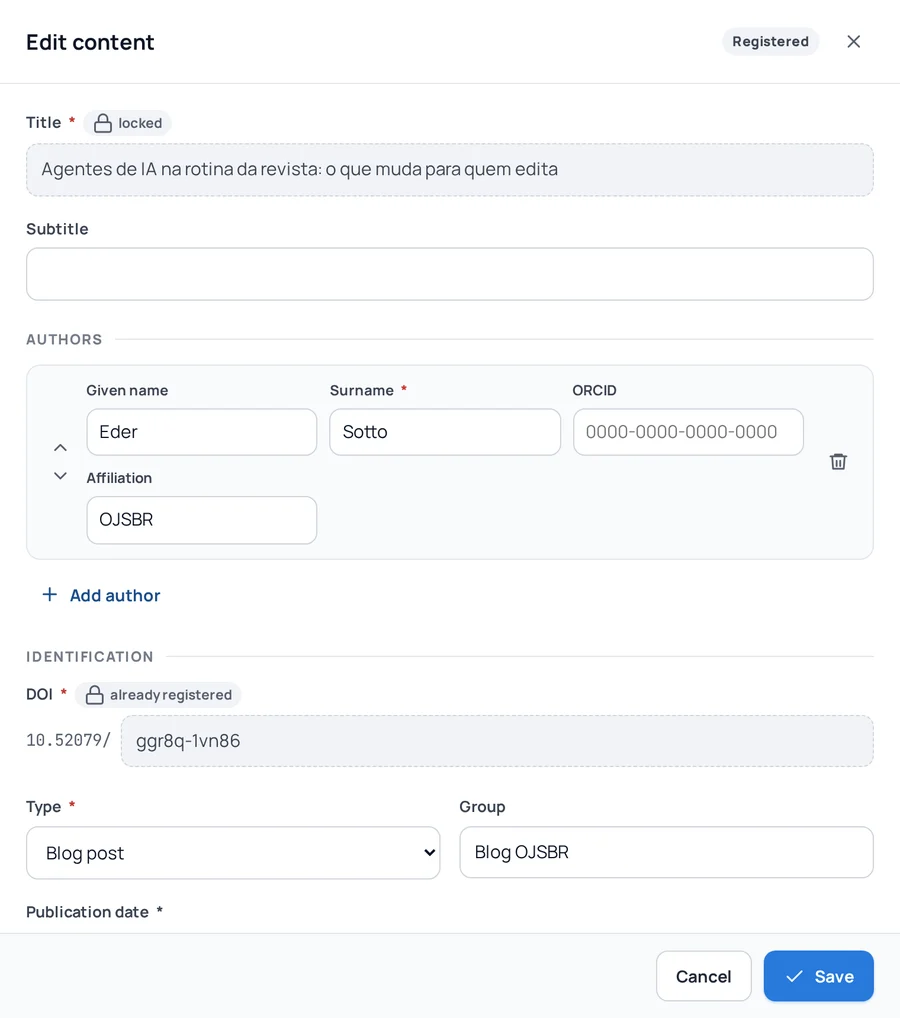
From the same list you can correct an old record or add new ones. A few safeguards come built in:
Registration follows a sequence of steps. For a book, for example: the ISBN, the DOI, the book details, the chapters and the deposit. Before sending, the tool checks everything it can:
The DOI suffix can be generated automatically in the opaque format, which is what Crossref and OJSBR recommend. After the deposit, registerDOI shows the result for each DOI, and Crossref also sends the report by email. The DOI may take a few minutes to resolve at doi.org. While you fill in the form, your work is saved in the browser.
The two paths complement each other. If the journal runs on OJS, the normal route is to register and correct through the Crossref plugin in OJS itself, and registerDOI says so when it recognizes the journal: the next deposit made by OJS overwrites whatever was changed outside it. registerDOI comes in when OJS cannot do the job, such as a plugin error or an old article that was never in the system.
For books in OMP, there is the OJSBR Crossref plugin. For proceedings published in OJS, the conference proceedings plugin. For everything outside these platforms, registerDOI is the way.
Anyone can try registerDOI without signing in. On the sign-in screen, click Try without login. In test mode every screen works with real Crossref data: you can load a prefix, see the records, open and edit them. Only the deposit is switched off. The images in this article were made that way, in test mode, with OJSBR's own prefix.
Depositing at Crossref through registerDOI is for OJSBR clients, with a prefix managed by us. If your institution does not have a prefix yet, we explain the process in Getting a DOI prefix sponsored by OJSBR. If it already has DOIs with another sponsor, management can be transferred to OJSBR at no cost. DOI registration has no annual fee and is charged per use.
To start using registerDOI for your journal, press or event, get in touch.
Managed hosting, specialized support and DOI registration with no annual fee.